
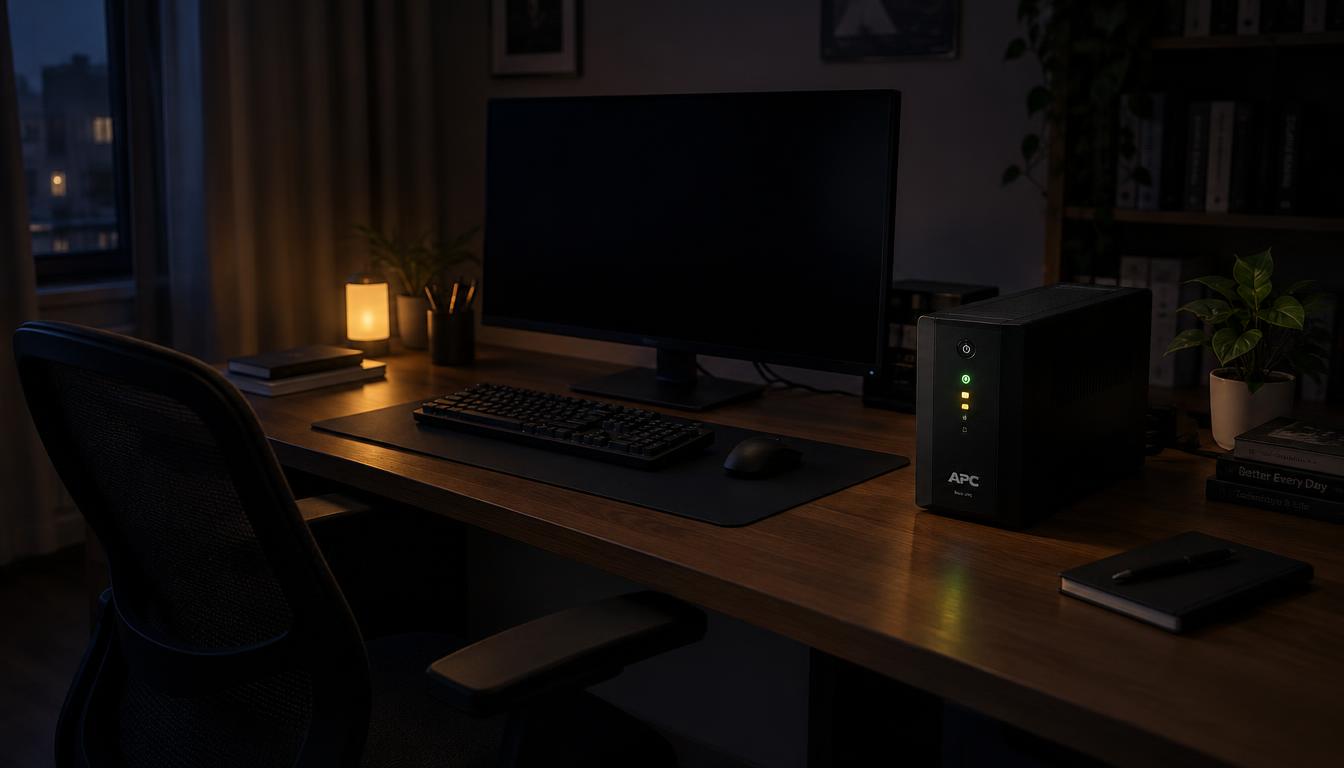
Could a UPS battery save your unsaved report the next time the power goes out? The lights flicker, the monitor goes black, and your cursor freezes in the middle of a sentence. A power outage like that can wipe out an hour of work in seconds.
The battery is the part of the unit that keeps your computer running during that moment. It gives your computer, modem and router a short window of power when the grid fails. Most of the time, that window is enough to save your files and start a clean computer shutdown.
I know how frustrating a lost file can be when you work from a spare room. Below, I cover battery types, sizing, replacement costs and the buying choices that matter. A desk with a tower PC, a monitor and a router needs a different backup than a laptop on a dock.
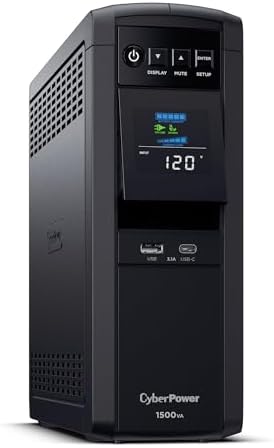
- 1500VA/1000W PFC Sinewave Uninterruptible Power Supply (UPS): Uses sine wave output to provide battery backup power for …
- 12 NEMA 5-15R OUTLETS: 6 battery backup & surge protected outlets, 6 surge protected outlets; INPUT: NEMA 5-15P right an…
- MULTIFUNCTION, COLOR LCD PANEL: Displays immediate, detailed information on battery and power conditions; Color display …
Key Takeaways
- The battery buys minutes, not hours, to save work and shut down.
- Add up the wattage of everything on the desk before you buy.
- Check the VA rating on the label first when sizing.
- Most small units use sealed lead-acid or AGM batteries, which last about 3 to 5 years.
- Match the voltage and amp-hour rating to the old label.
- Run the self-test to see whether the battery still holds a charge.
What a UPS Does During an Outage
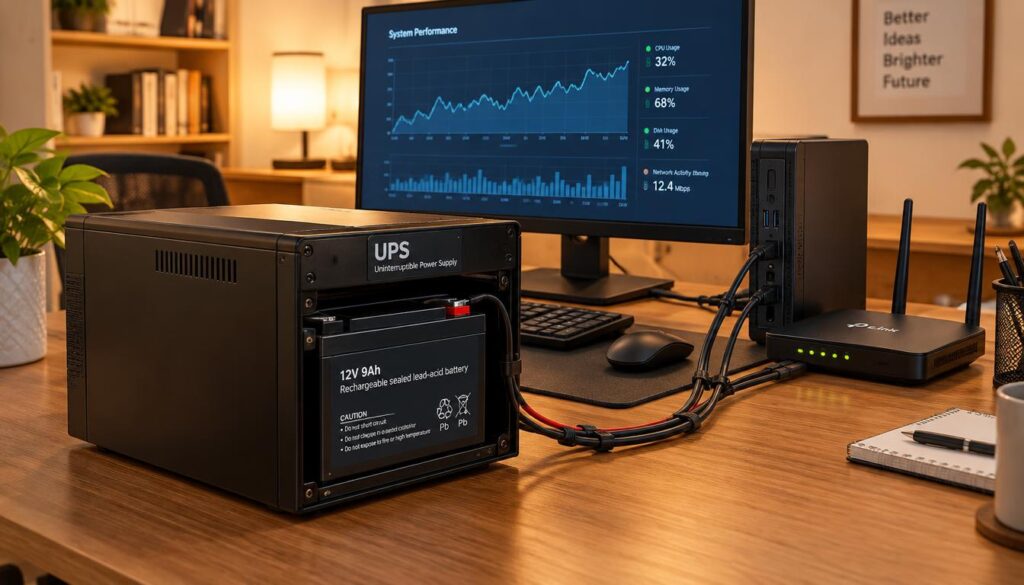
A UPS battery is the stored-energy part of an uninterruptible power supply. The name tells you what a UPS battery stands for: uninterruptible power supply, meaning power that does not stop. Inside the unit, the battery holds energy and releases it when wall power drops.

- KEEP YOUR COMPUTER, WI-FI AND ROUTER RUNNING THROUGH POWER OUTAGES: Supplies short-term battery power during outages to …
- POWER PROBLEMS DON'T ONLY HAPPEN DURING STORMS: 23 minutes of runtime (at 100W load) guards against outages, while surge…
- PROTECT EVERYTHING ON YOUR DESK: 5 well-spaced outlets with full battery backup and surge protection, plus 2 surge-only …
The battery does two jobs for a home desk. First, it acts as surge protection, guarding equipment from sudden spikes in voltage. Second, it gives short-term power during brownouts, blackouts and voltage drops.
Most home offices plug the computer, monitor, modem, router and an external drive into the unit. Each of those devices needs power, and the battery must cover all of them at once. The unit is the whole box, and the battery is only the part that stores the energy.
The VA rating is the volt-ampere figure printed on a UPS label. It shows how much load the unit can carry. It is the first number to check when sizing a unit for your desk.
A UPS battery buys minutes, not hours, during an outage. Use that time to save your work and shut down the computer.
A UPS battery buys minutes, not hours. Use that time to save work and shut down.
Once the grid fails, the next question is how the power actually moves from the battery to your equipment. The answer shows why the battery must stay charged at all times.
How a UPS Battery Keeps Your Office Running
In the first few milliseconds of an outage, the unit switches your desk from wall power to its battery. The switch is fast enough that a desktop usually keeps running without a reboot. The unit handles this switch on its own, without any action from you.
UPS battery use in a home office follows the same four steps each time the power changes. The unit repeats them every time the grid drops out and comes back.
- Standby and charging: the unit runs your devices from the wall and keeps the battery charged.
- Outage detected: the unit senses the drop in wall power and switches to the battery.
- Inverter at work: the inverter changes the battery’s direct current (DC) into the alternating current (AC) your devices use.
- Automatic recharge: when power returns, the unit recharges the battery without any help from you.
The power that flows through the battery during an outage moves in one direction. It goes from the battery, through the inverter, and out to your devices. I have seen many desks run on this path for a short time without a single flicker on the screen.
The switch works well, but a weak battery can still let you down. An old battery or one that was not fully charged may run out in minutes, even when the switch works perfectly.
The battery’s health decides how long the switch can keep your desk running. That makes the battery type the next thing to choose.
Choosing Between Lead-Acid, AGM and Lithium Batteries
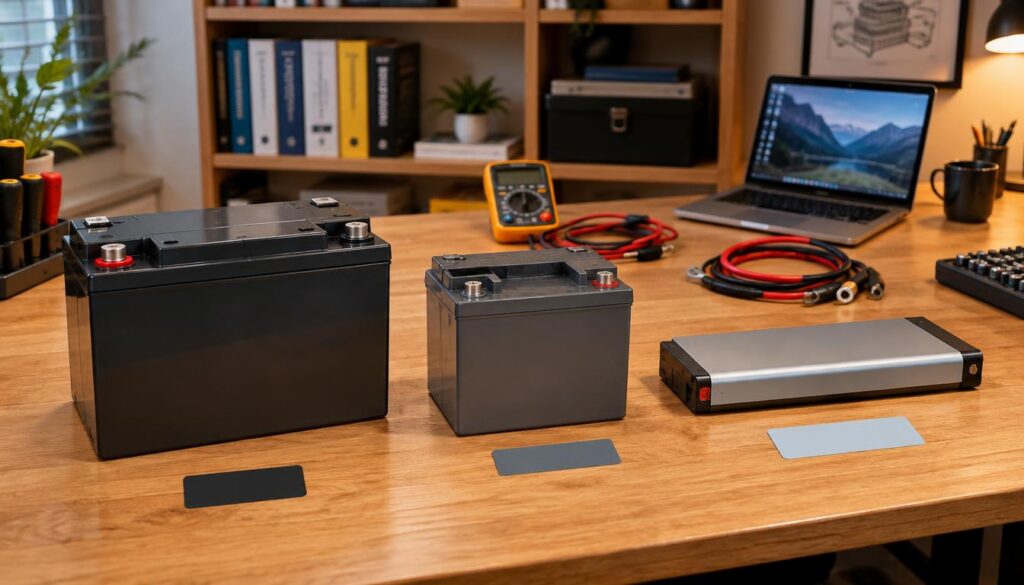
Most home office UPS units still use sealed lead-acid or AGM batteries. These two types cost less and fit the small units that most desks use. Lithium is the newer choice, and it often costs more up front.
The table below compares the main battery types you will see in batteries used in home office units. Lifespan and cost depend on the brand and how the unit is used.

- Universal Compatibility: Works with alarm systems, security devices, UPS, kids ride-on cars. 12V7Ah/20HR rechargeable ba…
- Long-Lasting Performance: 12V 7Ah rechargeable battery provides reliable power with maintenance-free & spill-proof desig…
- Easy Installation: Simple replacement for your existing 12V 7Ah 20HR battery. Compatible with standard F1 terminals, no …
| Battery type | Typical lifespan | Cost level | Space | Where it is found |
|---|---|---|---|---|
| Sealed lead-acid (SLA) | 3 to 5 years | Low | Larger and heavier | Entry-level and small office units |
| AGM | 3 to 5 years | Low to medium | Similar to SLA | Mid-range consumer units |
| Lithium-ion | 8 to 10 years | Higher | Smaller and lighter | Newer smart models |
| Replacement cell or module | Depends on the cell | Varies by voltage and amp-hour | Must fit the tray | Standard 12V cells or user-replaceable modules |
Sealed Lead-Acid and AGM Batteries in Small Units
A sealed lead-acid battery, often called an SLA battery, is the most common type in small desktop units. AGM batteries are a close cousin, and they last about as long. Both usually last about 3 to 5 years in a home office.
I recommend these types for most desks with a computer, a monitor and a router. They suit the budget of a home worker who wants reliable backup without paying for extras.
Lithium Batteries and Their Lifespan
A lithium-ion battery in a newer smart UPS often lasts about 8 to 10 years. That is roughly twice the life of a typical lead-acid cell. Heat and a high cycle count can shorten that life, so a unit kept in a warm closet may age faster.
A common mistake is buying a cheap replacement cell that does not match the unit’s voltage or amp-hour rating. The cell may fit the tray but fail to deliver the right power. Check both numbers before you buy any battery, whatever the chemistry.
Chemistry matters less than the output type and the size of the unit. Those two choices shape how the battery behaves at your desk, and they come next.
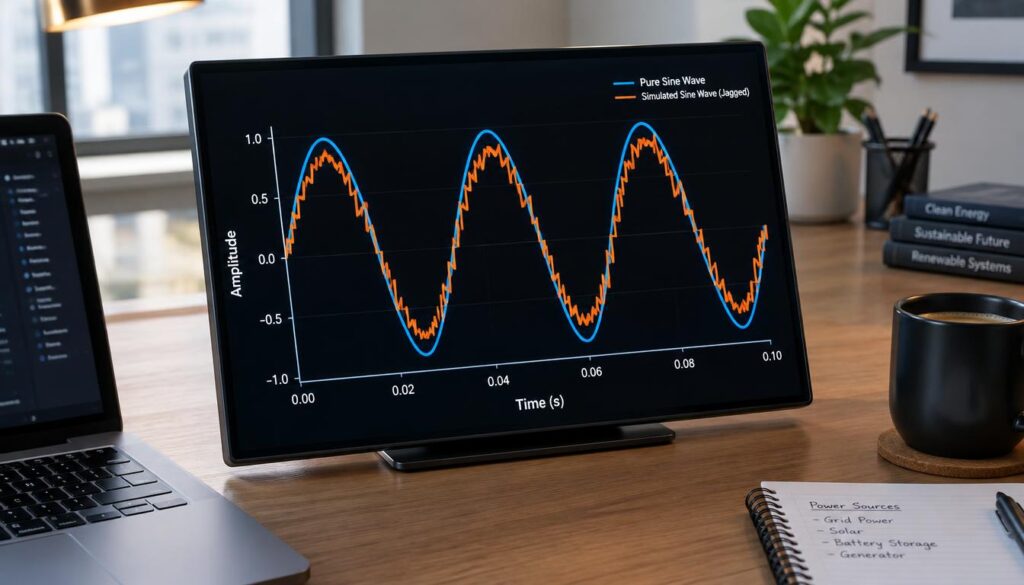
Sine-Wave and Simulated Sine-Wave Output
A desktop computer usually needs simulated sine-wave output, not pure sine-wave. That output type costs less and runs most home office PCs without trouble. Power quality for a UPS used at home depends mostly on the output type you pick.

- 1500VA / 900W RELIABLE BACKUP POWER: The highest VA capacity available for home use; delivers short-term battery power t…
- TEN PROTECTED OUTLETS: Power your entire setup with 5 battery backup outlets for essential devices, and 5 surge-only out…
- AUTOMATIC VOLTAGE REGULATION (AVR): Corrects low voltage brownouts (88V+) and surges (+/-13%) without draining battery. …
| Output type | Output quality | Best devices | Cost level | Battery size |
|---|---|---|---|---|
| Sine-wave | Clean and smooth | Servers, medical equipment, networking gear | Higher | Larger battery for the same runtime |
| Simulated sine-wave | Stepped and blocky | Desktop PCs, home entertainment systems | Lower | Smaller battery for the same runtime |
Products that need sine-wave output are usually servers, network gear and some medical devices. Simulated units are usually cheaper, and they can use a smaller battery for the same runtime. That is why most desks do not need the more expensive type.
There is one exception that I always mention. A home office with a sensitive medical or lab device should use sine-wave output, even if the rest of the desk is ordinary. The cost of guessing wrong is much higher with that kind of equipment.
A home office PC with a modern power supply usually runs fine on simulated output. Check the label on the computer’s power supply if you are unsure. The next question is how much load the battery must carry.
Picking the Right Size for Your Equipment
Sizing starts with the total wattage of everything plugged into the unit. Add the computer, the monitor, the speakers, the external drives and the router. That total tells you how big the battery and the unit must be.
A UPS battery for a PC must carry the whole desk, not only the tower. A typical full-load runtime for a UPS battery is about 5 to 15 minutes. At half load, the same battery often runs about 15 to 30 minutes.
Use these steps to find the right UPS battery size for your desk.
- Add up the wattage of the computer, monitor, speakers, external drives and router.
- Add a margin for upgrades, such as a faster graphics card or a second drive.
- Choose a unit whose VA rating is higher than that total.
- Check the runtime at half load, since a desk often runs below its peak.
- Pick a larger battery or a bigger unit if outages in your area run long.
A common mistake is matching the VA rating to the label on the computer’s power supply. That label shows the most the PC could draw, not the full load of every device. Count the monitor and the drives too, or the unit may overload.
The battery must also be in good condition to deliver that runtime. A healthy battery of the right size keeps your desk up, and a weak one cannot. Next, I look at what sets the price of a replacement.
What Drives the Price of a Replacement Battery
Voltage and amp-hour rating are the two numbers that move the price most. A 12V cell with a higher amp-hour rating costs more than a smaller one. The price of a replacement battery for a home office UPS follows those two numbers closely.
The price of replacement batteries by voltage is the first thing to compare. Chemistry, terminal type and whether the cell is an original equipment match also set the price. A cell made to the unit maker’s specification often costs more than a generic match.
A small 12V sealed lead-acid replacement cell usually costs roughly tens of dollars. Larger amp-hour cells cost more, and lithium modules cost more still. Expect the price to climb as the battery gets bigger and the chemistry gets newer.
A common mistake is buying the cheapest cell without checking the terminal type. A cell with the wrong terminals will not connect to the unit, and the savings disappear fast. A lower price cannot make up for a cell that does not fit the tray.
Compare cells on voltage and amp-hour rating first, and then on the other factors. Those two numbers tell you the most about whether a cell is worth the money. The next step is to look at the common 12V sizes.
12V Sealed Lead-Acid Replacements and Common Sizes
The 12V cell has to match the old battery’s voltage before anything else. A 12V UPS battery for common units is the most frequent replacement for small desktop systems. Read the voltage on the old label before you shop.
Use the table below to match the amp-hour rating on your old battery to the common sizes. Those ratings are the ones you will see most often in 12V replacement batteries by amp-hour rating.
| Amp-hour rating | Typical unit size | Runtime effect | Fit note |
|---|---|---|---|
| 7Ah | Small desktop units | Shortest runtime of the group | Confirm tray size and terminals |
| 9Ah | Small desktop units | Slightly longer than 7Ah | Confirm tray size and terminals |
| 12Ah | Small to mid-size units | Longer than 9Ah | Check height in the tray |
| 18Ah | Mid-size units | Longer than 12Ah | Check tray depth and terminals |
| 35Ah | Larger office units | Longest of the five | Heavier; confirm the fit |
The replacement must match the voltage exactly. Its amp-hour rating should match the old label or be higher. A higher rating gives longer runtime, but only if the cell fits the tray and the terminals.
Two 6V batteries are often wired in pairs to make 12V. A common mistake is mixing a 6V and a 12V cell in the same string. That mismatch can damage the cells and the unit, so keep the string matched.
A matched cell still needs to be fitted correctly. Once the size is right, the next step is the swap itself.
Replacing the Battery and What It Costs
Most owners can swap a UPS battery themselves in a few minutes. The job needs care with the terminals, but it does not need special training. A technician can do the same job for you if you prefer.
UPS battery replacement follows a simple order. Work with the unit off and unplugged, and keep the old battery’s terminals in view. Follow these steps for a clean swap.
- Shut the unit down and unplug it from the wall.
- Disconnect the old battery terminals in the right order, usually negative first.
- Connect the new cell, positive terminal first and negative last.
- Close the tray and plug the unit back in.
- Run the self-test to confirm the unit reads the new battery.
- Take the old battery to a recycling point for lead-acid batteries.
The cost of replacing a UPS battery is mostly the battery itself. If a technician does the job, you add a small labor charge on top. Lithium modules and proprietary cartridges cost more than standard 12V cells, so the total changes with the type.
A unit still under warranty should be serviced by the manufacturer. Opening the unit yourself could affect the warranty. Check the terms before you start the swap.
Once the new battery is in, the next job is to check whether the old one needed replacing at all. That check can save you money.
Checking Battery Health on a Backup Unit
Run the unit’s built-in self-test first. Most units check the battery under a short load and show a result on the display or in the software. That result tells you whether the battery can still hold a charge.
Here is how to check a UPS battery at home without special tools. Charge the unit for several hours before you test, because a partly charged battery gives a false result. Then work through these checks.
- Run the self-test button or the software test and write down the result.
- Note the runtime the display reports for the current load.
- Unplug the unit from the wall under a light load and time how long it runs.
- Look for warning lights, beeps or a battery alarm.
- Check the battery date and the unit’s age.
Load Test and Runtime Check
A runtime test under real load shows the battery’s real capacity. Checking the battery in a UPS this way beats trusting the number on the label. Use a light load, such as a computer that is idle, so the test is safe.
A common mistake is testing a fully loaded desk. A weak battery can drop the load in the middle of the test, and the computer may shut down without warning. Save your work first, and keep the test load light.
Warning Lights and Self-Test Results
Warning lights or beeps usually mean the battery is failing or not connected. A self-test that fails twice points to the same problem. Treat a repeated warning as a clear sign to act.
A battery that fails these checks is the point to plan a replacement. Next, I look at the features that help a unit work well at a desk.
Features That Matter for a Home Office UPS
A home office UPS should have at least one battery-backed outlet for the computer. That outlet keeps the computer running through a short outage. Other outlets can handle devices that do not need battery power.
A UPS battery for home use should cover the computer and the monitor first. Check these features before you pick a unit.
- Battery-backed outlets for the computer and monitor
- Surge-only outlets for less critical devices
- VA rating and runtime display
- USB or network management port
- LCD or status light for battery and load
- Replaceable battery design and a clear warranty length
APC models for home office desks often include several of these features. Eaton, CyberPower and Tripp Lite also sell common units in this segment. Many units include a USB or network port, which lets the software shut the computer down cleanly.
One exception matters here. A printer with a laser fuser should not sit on a battery outlet, because the heat draw can strain the battery. Plug it into a surge-only outlet instead.
A replaceable battery design lowers the cost of owning the unit over time. You swap a cell instead of buying a new unit. The last thing to check is what you can buy for your unit, which is the step that follows.
Buying Replacement Batteries Online Safely
Compare the old battery’s label with the listing before you buy. The voltage and amp-hour rating must match. A quick check of the label can save you from a cell that does not fit.
Replacement batteries for home office UPS products should be checked in a clear order. Confirm the model number on the unit first, since it leads to the right battery. Then confirm the voltage and amp-hour rating printed on the old label.
Next, confirm whether the listing is an original equipment match or a cross-reference. An original equipment match is the safest choice for most units. Then check the warranty length, the return policy, and the shipping method and cost, since a heavy battery can cost a lot to ship.
Match the voltage and amp-hour rating before you compare prices.
Match the voltage and amp-hour rating before you compare prices.
A common mistake is comparing only the item price and ignoring shipping. A cheap cell with high freight can cost more than a fair one. Compare the full price against the warranty, because price against warranty on a UPS battery is the fairer test.
A large order of several batteries for a small office may need a freight quote rather than standard shipping. Ask the seller for that quote before you pay. A matched, covered battery is the right purchase, and the closing steps sum up what to do next.
Conclusion
Match the voltage and amp-hour rating to the old label before anything else. That one check decides whether a replacement fits and works. A cell with the wrong numbers can look right and still fail in your tray.
Size the battery to the full load of your desk and check its runtime at half load. A computer, monitor and router need more power than most people guess. Use the VA rating on the unit label as your starting point.
Today, write down the unit’s model number and the figures on the old battery label. Then compare them with the replacement you are considering before you click buy.