
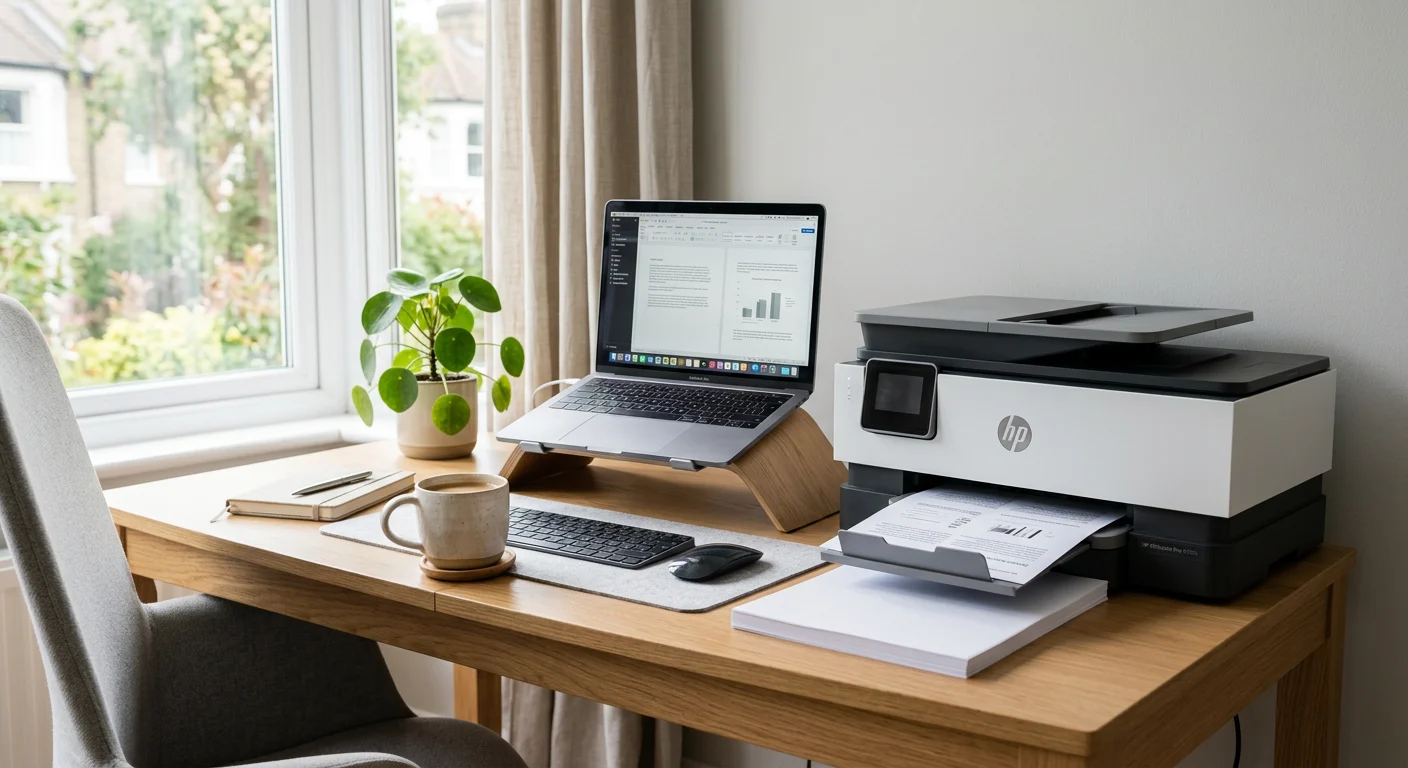
You needed one document printed. One. Instead, you spent 40 minutes on a firmware update, burned through half a cartridge on a test page, and ultimately drove to FedEx anyway. Sound familiar? If you’ve been searching for the best printer for home, you’re definitely not alone.
The Complete Guide for Remote Workers Who Are Done Guessing
Finding the best printer for home use is one of those decisions most remote workers put off until they desperately need it — and then rush through. The result? A printer that runs dry after 50 pages, one that takes five minutes to warm up from sleep mode, or one so loud it interrupts every video call within earshot.
This guide is written for the people who work from home every day — the freelancers, the full-time remote employees, the consultants, the small business owners operating out of a spare bedroom or a converted garage. You deserve a printer that actually keeps up with your work, not one that slows it down.
We have broken everything down: what to look for, which models are worth your money in 2026, the mistakes most people make when buying, and how to choose the right fit for your exact setup. No filler. Just the good stuff.
What Makes a Printer “Home Office Ready”?
Not all printers are built the same, and a printer designed for casual home use is very different from one built to handle the daily demands of a home office professional.
A home office printer needs to handle a mix of tasks: printing contracts, invoices, reference documents, shipping labels, the occasional presentation draft. It also needs to be reliable — meaning it should work the first time, every time, without requiring a troubleshooting session before each print job.
The key categories to understand before you shop:
- Inkjet printers — Best for color accuracy, lower upfront cost, and versatility. Great if you print photos or marketing materials alongside documents.
- Laser printers — Best for high-volume document printing. Faster page output, lower cost-per-page on text, and toner lasts significantly longer than ink.
- All-in-one (AIO) printers — Combine printing, scanning, copying, and sometimes faxing. The most practical choice for home offices where space and budget are limited.
- Tank-based inkjet printers — Use refillable ink tanks instead of cartridges. The ink cost is dramatically lower over time, making these ideal for high-volume color printing.
Why the Right Printer Matters More Than You Think
Here is the thing most buying guides skip: a bad printer does not just waste your money — it wastes your time. And for a remote worker, time is the resource you can afford to lose the least.
Productivity impact: A slow printer with a 30-second warm-up time and paper jams every 200 pages can eat hours out of your week over the course of a year. A reliable printer that connects via Wi-Fi and starts printing in under 8 seconds is the difference between a smooth workflow and a daily frustration.
Ink cost reality check: The printer itself is rarely where the money goes. Replacement cartridges can cost more per milliliter than premium perfume. A printer that looks affordable at $89 might cost you $400 a year in ink if you are printing regularly. Always calculate the cost-per-page before buying.
Professional image: If you are a freelancer or consultant printing client proposals, meeting notes, or legal documents, print quality matters. Blurry text, streaking ink, or off-color branding on printed materials reflects on your professionalism — even if the client never says anything.
Connectivity in a remote setup: A printer that only connects via USB cable is essentially unusable in a modern home office where your laptop, tablet, and phone all need to be able to send print jobs wirelessly. Wi-Fi, AirPrint, and cloud print support are non-negotiable features in 2026.
What to Look for Before You Buy a Home Office Printer
Before you add anything to your cart, run through this checklist. Each factor directly affects how the printer will perform in your specific situation.
- Print speed (pages per minute): Look for at least 20 ppm for black-and-white documents. Anything slower will feel like a bottleneck on busy days.
- Monthly duty cycle: This is the maximum number of pages the printer is designed to handle per month. For a home office, 1,000–3,000 pages per month is typically sufficient. Exceeding the duty cycle regularly leads to premature wear.
- Connectivity options: Wi-Fi, Ethernet, USB, Bluetooth, Apple AirPrint, Google Cloud Print compatibility, and mobile app support. The more options, the more flexible your setup can be.
- Paper handling: An automatic document feeder (ADF) on the scanner saves enormous time when scanning or copying multi-page documents. Duplex (double-sided) printing is nearly essential.
- Ink or toner cost: Research the cost of replacement cartridges or toner before buying the printer. Check whether the printer accepts third-party ink (some brands use DRM chips to prevent it).
- Footprint and size: Measure your desk or shelf space before buying. Compact all-in-ones have become remarkably capable without taking up half your workspace.
- Noise level: If you are on video calls frequently, a printer that sounds like a departing aircraft is going to be a problem. Check user reviews specifically for noise mentions.
- Setup ease: Complex driver installations and finicky Wi-Fi setup are a real time sink. Look for printers known for straightforward setup, especially if you are not particularly tech-oriented.
Best Printers for Home Office Use: Top Picks Compared
Here is a breakdown of the strongest options available for remote workers in 2025, across different categories and price points.
| Printer Model | Type | Best For | Print Speed | Est. Price Range | Ink/Toner Cost |
|---|---|---|---|---|---|
| Brother HL-L2460DW | Laser (B&W) | Document-heavy workloads | 32 ppm | $110–$180 | Very Low |
| Canon PIXMA TR8620a | Inkjet AIO | Mixed color + document printing | 15 ppm (B&W) | $150–$180 | Moderate |
| Epson EcoTank ET-4950 | Tank Inkjet AIO | High-volume, low ink cost | 15.5 ppm (B&W) | $300–$450 | Very Low |
| HP LaserJet Pro M404dn | Laser (B&W) | Fast, professional documents | 40 ppm | $250–$290 | Low |
| Brother MFC-L3780CDW | Color Laser AIO | Color documents + scanning | 25 ppm | $400–$600 | Low–Moderate |
| HP OfficeJet Pro 9015e | Inkjet AIO | All-round home office performer | 22 ppm (B&W) | $200–$250 | Low (with Instant Ink) |
Brother HL-L2460DW — Best Budget Laser for Document Printing

- BEST FOR HOME OFFICES & SMALL TEAMS – Engineered for consistent, premium print quality, the Brother HL-L2460DW Monochrom…
- COMPACT, CONNECTED, EXCEPTIONALLY EFFICIENT– Connect with built-in dual-band wireless (2.4GHz/5GHz), Ethernet, or to a s…
- BROTHER MOBILE CONNECT APP – Manage your wireless printer remotely and print from your mobile device anytime, from almos…
If the majority of what you print is text — contracts, reports, invoices, reference sheets — this monochrome laser printer is one of the most cost-efficient options on the market. It prints at 32 pages per minute, connects wirelessly, and supports automatic duplex printing. The toner cartridges last a very long time relative to cost, and Brother’s driver compatibility across Windows, Mac, and mobile is reliably solid.
Pros
- Extremely low cost-per-page
- Fast print speeds
- Reliable wireless connectivity
- Compact footprint
Cons
- No color printing
- No scanning or copying
- Basic paper tray capacity
Epson EcoTank ET-4950 — Best Long-Term Value for Color Printing
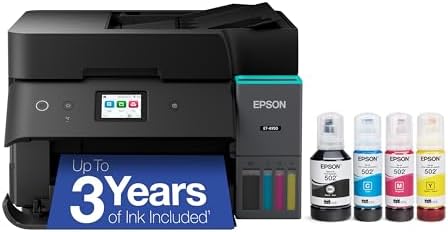
- Epson EcoTank Wireless All-in-One Ink Tank Printer – Cartridge-Free System, High-Capacity Ink Bottles, Mobile Printing, …
- WORRY-FREE PRINTING — Epson EcoTank comes with enough ink to print up to 6,600 pages black/5,500 color⁹ for fewer out-of…
- SIMPLE INK REFILLING — Supersized ink tanks and uniquely keyed EcoFit bottles make refilling ink simple—no mess, no stre…
The EcoTank line changed the conversation around inkjet printing by replacing expensive cartridges with large, refillable ink tanks. The ET-4850 is the flagship home office model, combining that low-cost ink system with a full-featured all-in-one design: printing, scanning, copying, and faxing. Each bottle of ink costs a fraction of what you would pay for cartridges, and the included ink at purchase covers thousands of pages. It is not the fastest printer on this list, but for remote workers who print regularly in color, it pays for itself within a year.
Pros
- Dramatically lower ink costs over time
- Full AIO functionality
- Large ink reservoir capacity
- Good color accuracy
Cons
- Higher upfront cost
- Print speed is moderate
- Bulkier than some competitors
HP OfficeJet Pro 9015e — Best All-Around Home Office Performer

- The OfficeJet Pro 9125e is perfect for offices printing professional-quality color documents like presentations, brochur…
- PERFECTLY FORMATTED PRINTS WITH HP AI – Print web pages and emails with precision—no wasted pages or awkward layouts; HP…
- UPGRADED FEATURES – Fast color printing, copy, fax, auto 2-sided printing and scanning, auto document feeder, and a 250-…
The OfficeJet Pro 9015e hits a sweet spot that works for most remote workers: it handles color and black-and-white printing, scans documents at decent resolution with its ADF, prints at 22 pages per minute, and supports every wireless protocol you would need. HP’s Instant Ink subscription service reduces costs further if you print consistently each month. The build quality feels professional, and setup is genuinely one of the easiest on the market thanks to HP’s Smart app.
Pros
- Strong all-around feature set
- Fast for an inkjet
- Excellent wireless and mobile connectivity
- Cost-effective with Instant Ink subscription
Cons
- Ink costs add up without subscription
- HP’s app sometimes requires account creation
- Not ideal for photo-quality color
Brother MFC-L3780CDW — Best Color Laser for Power Users

- Best for Small Businesses: The Brother MFC L3780CDW small business printer is a wireless multi-function digital color pr…
- AMPLIFY YOUR PROFESSIONAL DOCUMENTS. This Brother laser printer provides the consistent performance of laser-quality dig…
- MAXIMIZE EFFICIENCY WITH ALL-IN-ONE FUNCTIONALITY. This Brother all in one printer has print speeds up to 31 ppm(1) and …
If you regularly print color documents — branded reports, visual presentations, marketing materials — a color laser printer pays dividends in speed and consistency that an inkjet simply cannot match at high volumes. The MFC-L3770CDW is Brother’s workhorse home office color laser: 25 ppm in color, a 50-sheet ADF, duplex scanning, and wireless connectivity. Toner replacement is more expensive than black-only laser toner, but still cheaper per page than most inkjet options at scale.
Pros
- Fast color printing at high volume
- Consistent, professional output quality
- Full AIO with duplex scan ADF
- Low cost-per-page at scale
Cons
- Expensive upfront
- Large and heavy
- Not suitable for photo printing
How to Choose the Best Printer for Your Home Office Setup
The right printer for you depends on three things: how you work, how much space you have, and how much you are realistically going to print each month. Here is a simple framework.
By Budget
- Under $150: Go with the Brother HL-L2460DW if you only print documents. If you need color or scanning, look at the Canon PIXMA TR4720, which offers AIO functionality at an accessible price point.
- $150–$300: The HP OfficeJet Pro 9015e is the strongest all-rounder in this range. If you want future savings on ink, stretch slightly to the Epson EcoTank ET-3850.
- $300+: The Epson ET-4850 or the Brother MFC-L3770CDW are both strong investments for home offices with consistent, high-volume printing needs.
By Work Type
- Mostly documents (contracts, reports, invoices): Monochrome laser printer. Fast, cheap to run, reliable.
- Mix of documents and occasional color: Inkjet AIO or tank-based AIO. The HP OfficeJet Pro 9015e handles this scenario well.
- Frequent color and branded materials: Color laser if volume is high, EcoTank if color accuracy is the priority.
- Shipping labels and narrow-format prints: Consider a dedicated label printer alongside your main printer rather than expecting your inkjet to handle this reliably.
According to Space
If your home office is a desk in a corner of the bedroom, a compact laser like the Brother HL-L2350DW or a slim AIO like the Canon PIXMA TR series is a much better fit than a bulky tank printer. Always check the physical dimensions before ordering.
Mistakes Most Remote Workers Make When Buying a Printer
These are the patterns that show up again and again — and they are worth knowing before you spend a dollar.
- Buying based on printer price alone: The real cost is the ink. A $60 inkjet that costs $40 per cartridge set will cost far more over two years than a $200 printer with half the ink costs.
- Ignoring the monthly duty cycle: If your printer is rated for 1,000 pages per month and you are regularly hitting 2,500, you are burning through the machine faster than it was designed for. It will fail sooner than expected.
- Overlooking the ADF: If you scan documents regularly — contracts, receipts, multi-page forms — a printer without an automatic document feeder will have you manually placing pages one at a time. That is a workflow killer.
- Assuming all wireless printers are equally easy to connect: Wi-Fi setup quality varies enormously by brand and model. Read user reviews specifically about connectivity before buying, especially if you work on a Mac or have a more complex home network.
- Buying a photo printer when you only need a document printer: Photo inkjets use multiple specialized ink cartridges. If you are not regularly printing photos, you will constantly replace inks you barely use. A standard four-color inkjet or a laser printer is far more economical.
Pro Tips to Actually Upgrade Your Home Office Printing Experience
Print in draft mode for internal documents. Most printers offer a draft or economy mode that uses significantly less ink on documents meant only for your own reference. Reserve full-quality printing for client-facing materials.
Set your printer to go to sleep, not off. A fully powered-down printer takes longer to warm up and can cause connectivity issues on some network configurations. Sleep mode balances energy savings with instant availability.
Use your printer’s mobile app for scanning. Most modern all-in-ones have companion apps that let you scan directly to cloud storage like Google Drive or Dropbox. For a remote worker managing digital files, this is a game-changer.
Buy high-yield cartridges by default. When you need ink, always choose XL or high-yield versions. The cost-per-page is significantly lower, and you are changing cartridges far less often.
Run a cleaning cycle quarterly, not only when problems appear. Inkjet printheads can dry out and clog over time, especially if you print infrequently. A scheduled maintenance cycle keeps print quality consistent and extends the life of the printer.
Frequently Asked Questions About the Best Printer for Home Use
Is a laser printer or an inkjet printer better for a home office?
It depends on what you print most often. Laser printers are better for high-volume text printing because they are faster, cheaper per page, and toner does not dry out from infrequent use. Inkjet printers are better if you need color accuracy, photo printing, or a versatile all-in-one at a lower entry price. For most remote workers printing contracts and reports, a monochrome laser printer is the smarter long-term investment.
What is the cheapest printer to run long-term?
Tank-based inkjet printers like the Epson EcoTank series have the lowest cost-per-color-page because you refill tanks rather than replacing cartridges. For black-and-white document printing, monochrome laser printers offer the lowest running cost. Compare cost-per-page figures, not just the printer’s sticker price.
Do I need an all-in-one printer for my home office?
If you ever need to scan, copy, or occasionally fax documents, yes — an all-in-one is almost always the better value. Buying a separate scanner adds cost and takes up more space. Most modern AIO printers have solid print quality and more than adequate scanning resolution for professional documents.
How important is wireless printing for a home office?
Extremely important. A USB-only printer ties you to one machine and one physical location. With Wi-Fi printing, you can send print jobs from your laptop, tablet, or phone from anywhere in your home. Features like Apple AirPrint and Android-compatible cloud printing are now standard expectations, not luxuries.
Are third-party ink cartridges safe to use?
Third-party cartridges can significantly reduce your ink costs, but quality varies widely by brand and printer model. Some printer manufacturers use chip-based DRM that rejects non-branded cartridges. If you plan to use third-party ink, check compatibility before buying the printer. Brother and Canon have generally better third-party ink compatibility than HP, which actively restricts this on some models.
What print speed should I look for in a home office printer?
For light use (under 50 pages per day), 15–20 pages per minute is adequate. For busy home offices printing larger batches — long reports, multi-page proposals — look for 25 ppm or higher. Keep in mind that advertised speeds are typically measured on simple draft-quality documents; real-world speeds are usually 10–20% lower.
How much should I spend on a home office printer?
For a sole remote worker with moderate printing needs, a budget of $150–$250 covers excellent options. If you print heavily (more than 500 pages per month), investing $300–$450 in a high-quality laser AIO or tank-based inkjet will save money over two to three years through lower running costs. Think of it as a total cost of ownership calculation, not just an upfront purchase decision.
Final Thoughts: Choose Confidently, Print Reliably
The best printer for home office use is not the most expensive one, or the one with the longest feature list. It is the one that matches your workflow, fits your space, and does not drain your budget on ink month after month.
If you primarily print documents, start with a monochrome laser printer — you will thank yourself every time you see the toner bill. If you need color and versatility, the HP OfficeJet Pro 9015e or Epson EcoTank ET-4850 are both worth every dollar. If you are a power user printing branded content at volume, a color laser like the Brother MFC-L3770CDW will serve you for years.
Whatever you choose, prioritize wireless connectivity, automatic duplex printing, and a realistic assessment of your monthly print volume. Those three factors alone will eliminate most of the printers that would eventually frustrate you.
Your home office deserves equipment that works as hard as you do. A well-chosen printer is one of those purchases you stop thinking about entirely — because it just works, every time you need it.